AWS Lambda Serverless Deep-Dive: EC2 vs. Lambda Comparison & Complete 19-Step S3 Event Trigger Lab
A comprehensive end-to-end guide to AWS Lambda serverless compute: core architecture, in-depth EC2 vs. Lambda operational comparison, production use cases, and a complete 19-step hands-on visual walkthrough deploying Python handlers, test events, and Amazon S3 event-driven triggers.
Study Progress
Mark this module as reviewed for your cloud exam/team prep
What is AWS Lambda?
AWS Lambda is Amazon Web Services' flagship Serverless Compute Service (categorized as Function-as-a-Service or FaaS). It allows software engineers and DevOps teams to execute backend code without provisioning, configuring, or managing virtual servers or container clusters.
Instead of deploying dedicated virtual machines and paying 24/7 for idle compute resources, you simply upload your application code and define what cloud events invoke it.
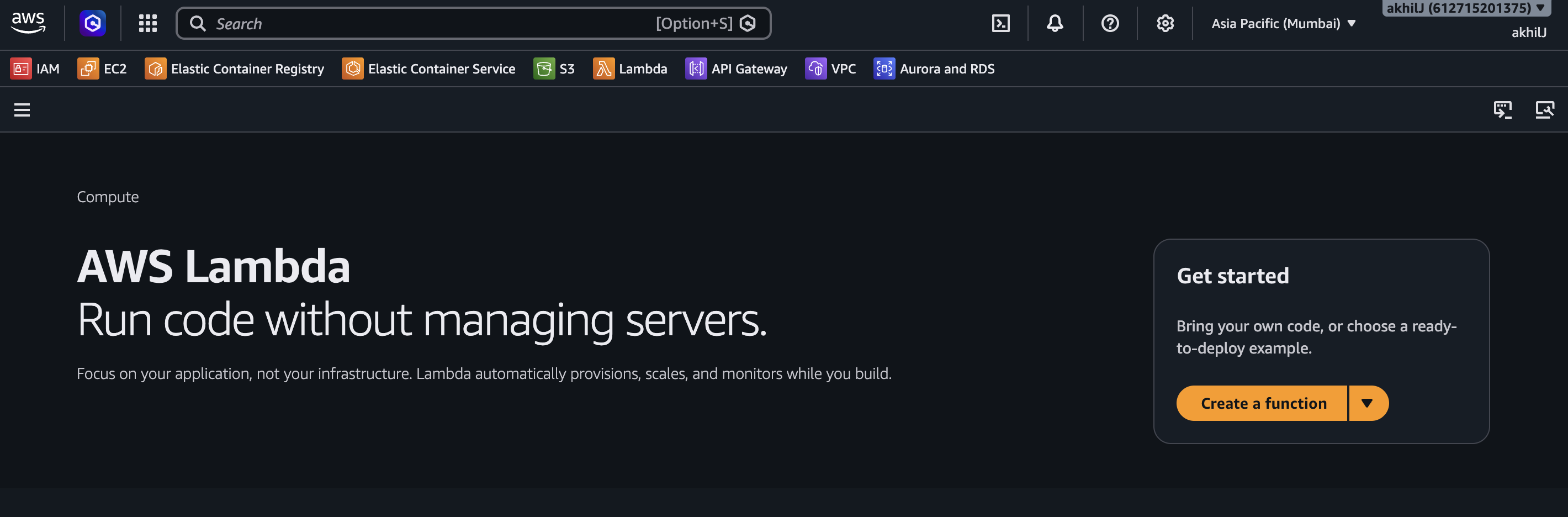 Figure 1 — AWS Lambda console landing: focus purely on application business logic while AWS handles provisioning, auto-scaling, and health monitoring.
How Lambda Works Under the Hood
- Event-Driven Invocation: Lambda remains completely dormant until an event occurs (e.g., an S3 file upload, an HTTP request via API Gateway, a message in SQS, or a cron timer in EventBridge).
- MicroVM Isolation: Upon invocation, AWS spins up a secure, sandboxed lightweight microVM powered by Firecracker in milliseconds.
- Execution & Tear-down: The microVM executes your handler function, returns the response, pushes execution telemetry to AWS CloudWatch, and automatically terminates or goes dormant.
- True Pay-Per-Use: You are billed strictly for the number of requests and the execution duration measured to the nearest millisecond. If your code runs for 120ms once a day, you pay only for that 120ms.
AWS EC2 vs. AWS Lambda: Architectural Comparison
Choosing between Amazon EC2 (Elastic Compute Cloud) and AWS Lambda is one of the most critical architectural decisions in cloud engineering. Here is how they compare across core operational vectors:
| Architectural Vector | Amazon EC2 (Virtual Machines) | AWS Lambda (Serverless Compute) |
|---|---|---|
| Compute Model | Provisioned Virtual Machine (IaaS) | Event-Driven Function-as-a-Service (FaaS) |
| Infrastructure Management | High: You manage OS patching, security hardening, kernel updates, and AMI maintenance. | Zero: AWS manages OS, runtime security, runtime updates, and hardware completely. |
| Pricing Structure | Pay per instance-hour/second continuously, even when idle (0% CPU utilization). | Pay only for compute time consumed (per millisecond) + total request count. Zero cost when idle. |
| Scaling Mechanism | Horizontal auto-scaling groups (ASG) based on CPU/RAM thresholds (takes 2–5 minutes to boot new nodes). | Instant concurrent horizontal scaling from 0 to thousands of parallel executions in milliseconds. |
| Execution Duration | Indefinite: Can run stateful applications for months/years continuously. | 15-Minute Max Timeout: Functions must complete within 900 seconds. |
| State Management | Stateful: Can store local files on attached EBS volumes and keep persistent in-memory sessions. | Stateless: Ephemeral execution environment (transient 512MB–10GB /tmp scratch space). |
| Cold Starts | None (servers are constantly running and warmed up). | Occasional latency spike (50ms–500ms) on new container initialization ("Cold Start"). |
| Ideal Workloads | Long-running monoliths, complex legacy enterprise apps, continuous TCP sockets, deep machine learning training. | Event-driven microservices, REST APIs, asynchronous queue processing, scheduled cron tasks, image/document pipelines. |
Real-World Use Cases for AWS Lambda
AWS Lambda shines brightest in event-driven, intermittent, and elastic workloads:
[ S3 Upload ] ────▶ [ AWS Lambda ] ────▶ [ Thumbnail / OCR Processing ] ────▶ [ RDS / DynamoDB ]
[ API Gateway ] ──▶ [ AWS Lambda ] ────▶ [ REST API Business Logic ] ────▶ [ Redis / Cache ]
[ SQS Queue ] ────▶ [ AWS Lambda ] ────▶ [ Async Email / Notification ] ───▶ [ SES / Third-Party ]
- Automated S3 File & Media Processing:
- Resizing user avatars, compressing uploaded images, generating PDF invoices, or extracting metadata from uploaded CSV files instantly upon arrival in S3.
- Serverless REST APIs & Microservices:
- Combining Amazon API Gateway with AWS Lambda and Amazon DynamoDB to build highly available, multi-region APIs that scale to millions of requests without managing web servers.
- Asynchronous Message Queue Workers:
- Consuming messages from Amazon SQS or Apache Kafka / Amazon Kinesis to process background jobs, transaction logs, and batch syncs.
- Automated CloudOps & EventBridge Cron Jobs:
- Running scheduled housekeeping tasks (cleaning up orphaned EBS snapshots, rotating temporary IAM credentials, triggering nightly database backups).
- Security & Compliance Automation:
- Reacting to AWS CloudTrail security events (e.g., auto-remediating S3 buckets accidentally made public or terminating unauthorized EC2 instances).
Complete 19-Step Hands-On Lab: From First Function to S3 Event Triggers
Below is the complete step-by-step visual tutorial using real AWS console deployments in the Mumbai region (ap-south-1).
Part 1: Creating & Initializing the Function
Step 1: Accessing the AWS Lambda Console
From the AWS Management Console navigation bar, open AWS Lambda in region ap-south-1 (Mumbai).
Figure 2 — AWS Lambda Console landing page with "Create a function" entry point.
Step 2: Launching the Function Creation Wizard
Click Create a function and select Author from scratch. Enter the function name: my-first-lambda.
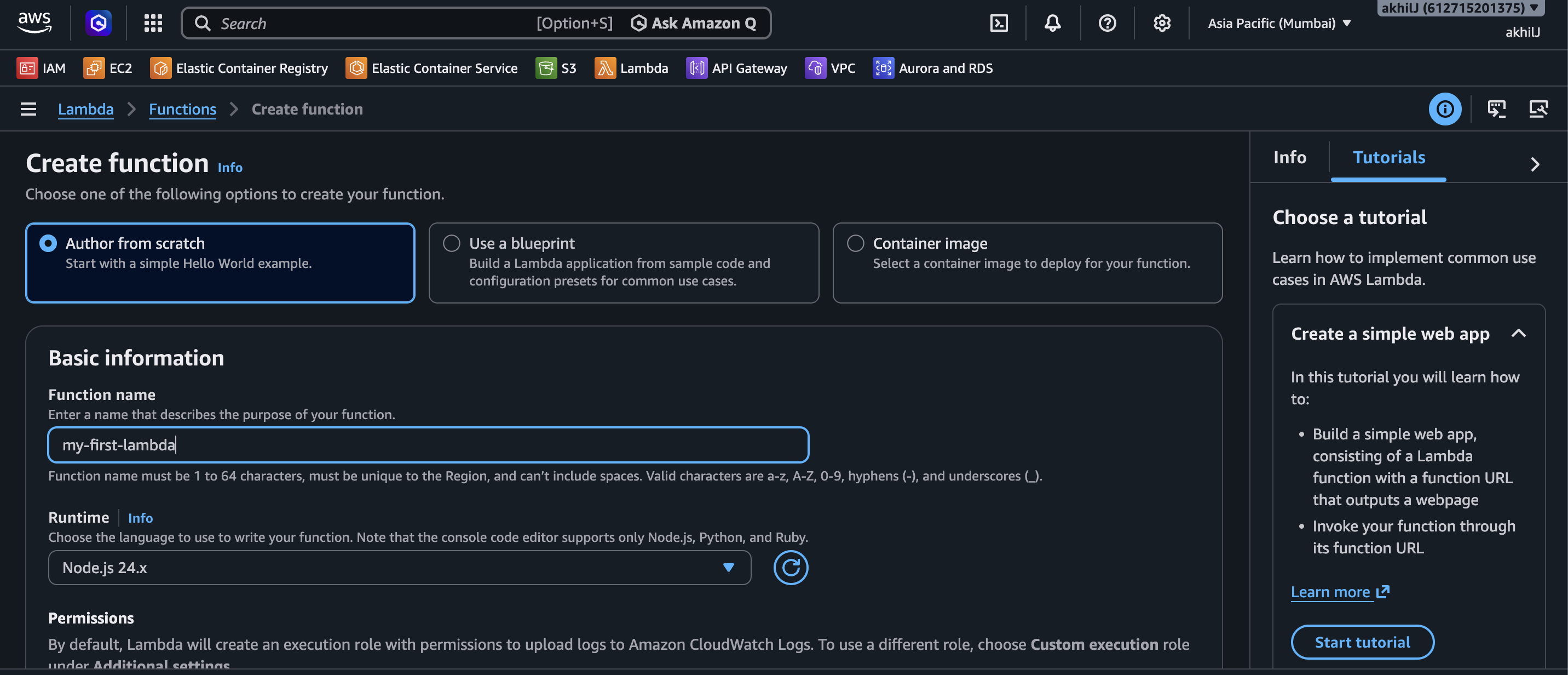 Figure 3 — Specifying function name
my-first-lambda in the creation wizard.
Step 3: Selecting Runtime & Architecture
Choose your runtime (such as Python or Node.js) and default architecture (x86_64 or arm64).
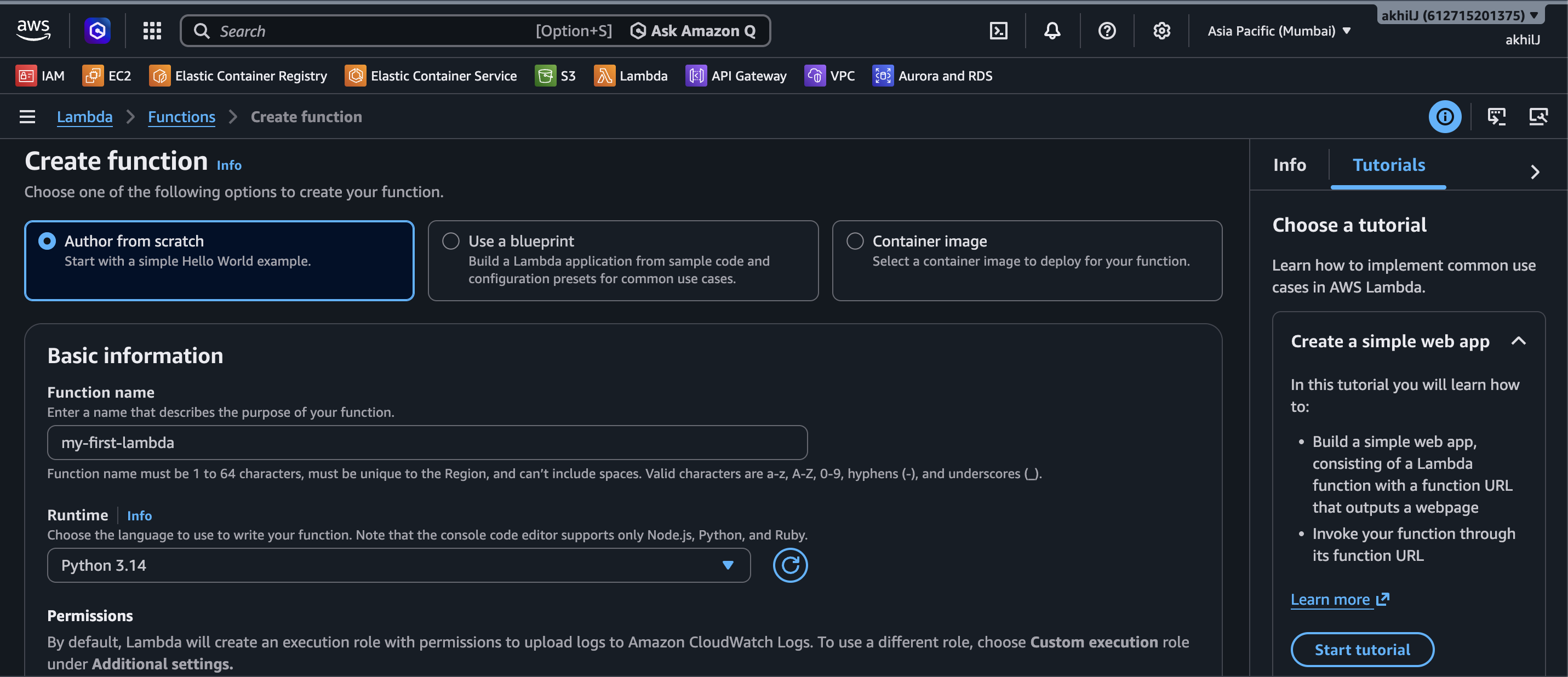 Figure 4 — Runtime and environment selection.
Step 4: Configuring IAM Execution Role & Permissions
Under Permissions, select Create a new role with basic Lambda permissions. This automatically creates an AWS IAM role with AWSLambdaBasicExecutionRole allowing output logs to be sent to Amazon CloudWatch.
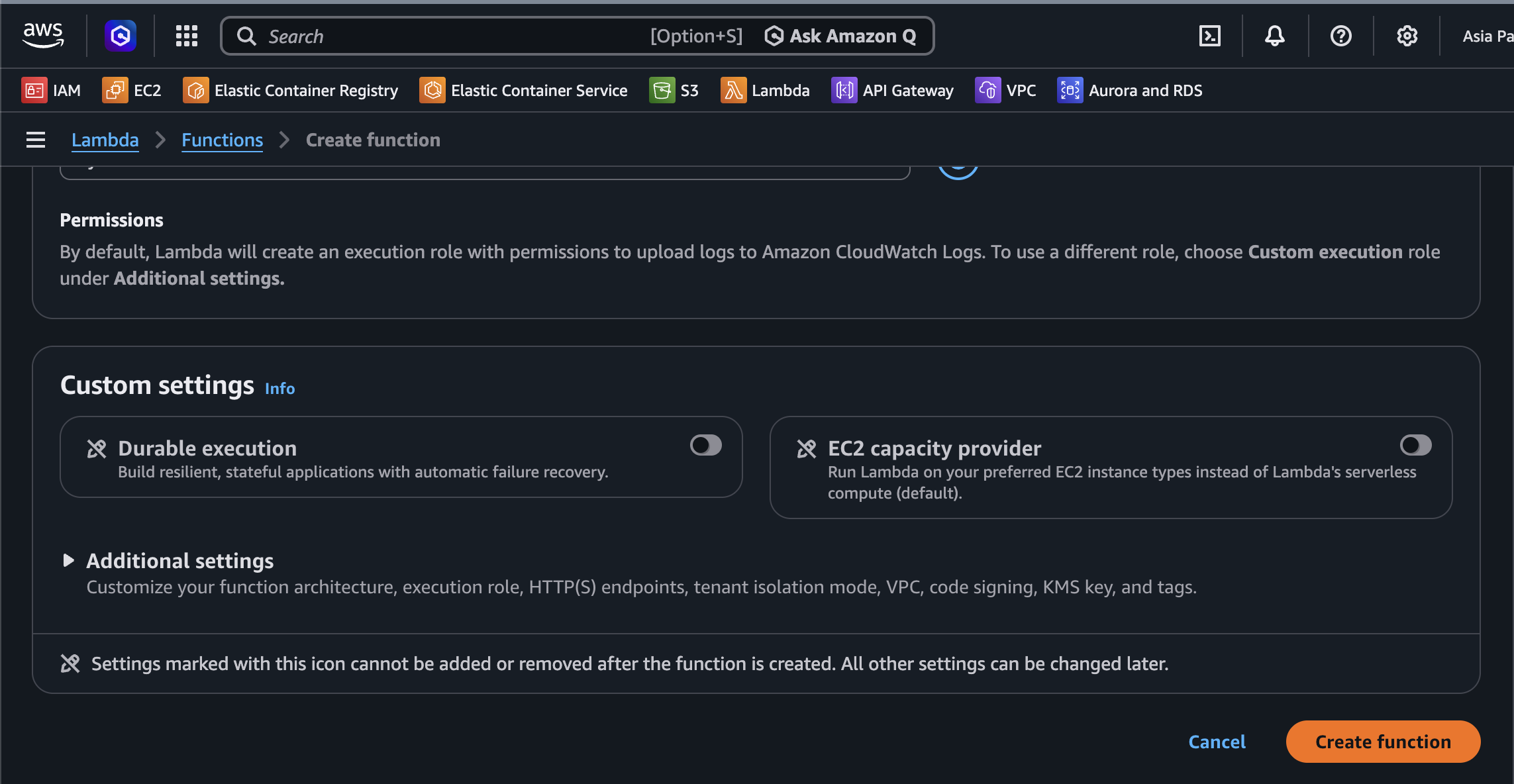 Figure 5 — Configuring IAM execution role permissions.
Step 5: Function Provisioning & Overview
Click Create function. AWS provisions the function and opens the main dashboard with the Function overview graph showing triggers, layers, and destinations.
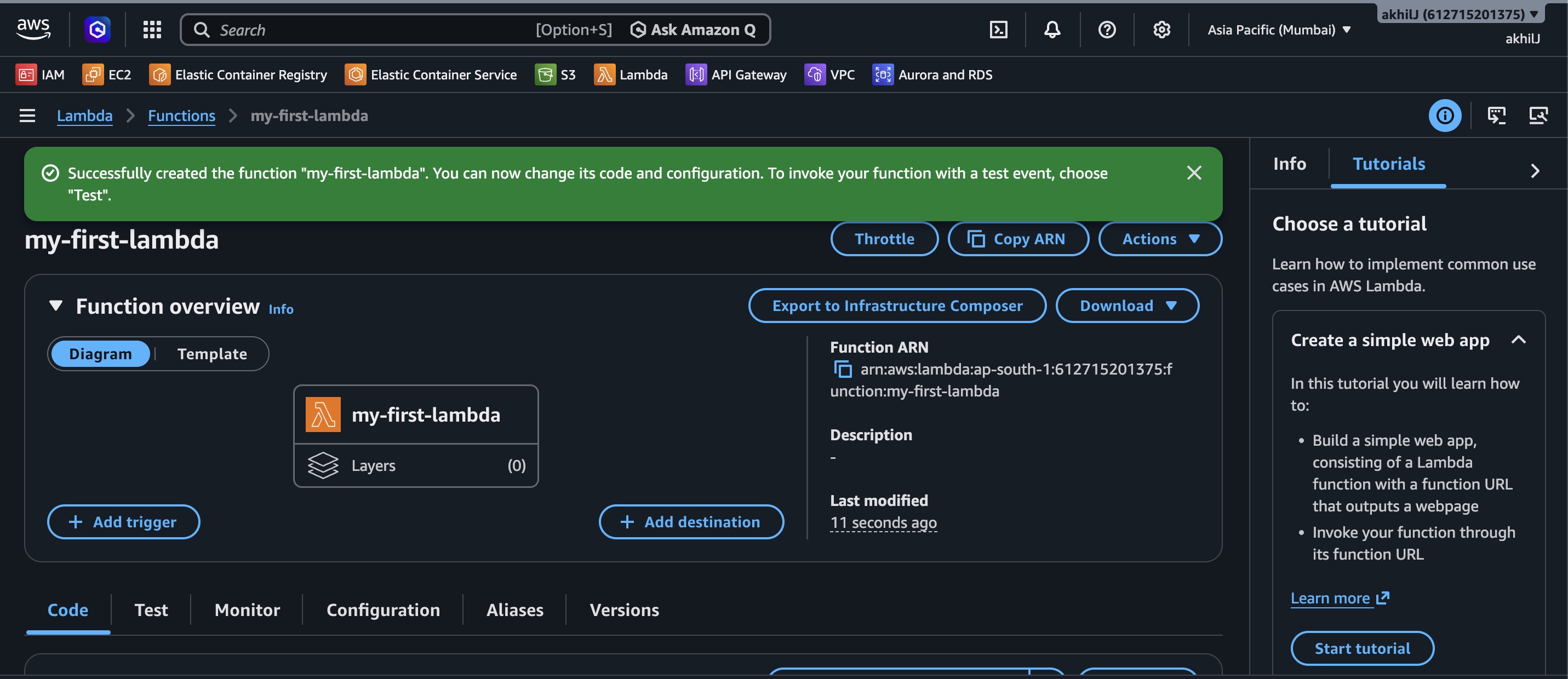 Figure 6 — Main dashboard and architecture overview for
my-first-lambda.
Part 2: Code Authoring, Deployment & Test Invocations
Step 6: Opening the Integrated Code Editor
Scroll down to the Code source section to access the built-in browser IDE showing lambda_function.py.
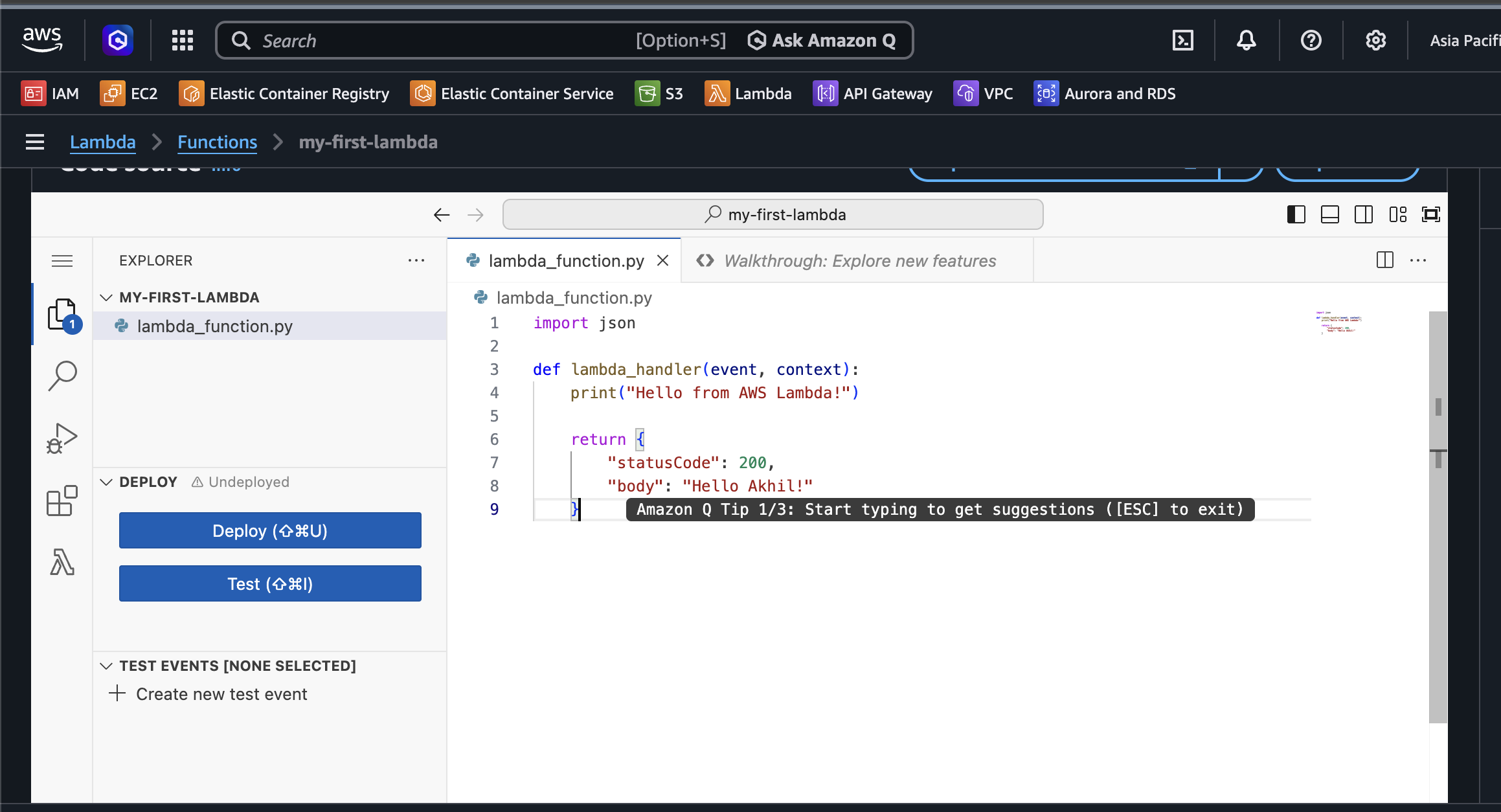 Figure 7 — Integrated code editor containing the default handler template.
Step 7: Customizing the Python Handler & Deploying
Write your custom logic and return payload:
import json

def lambda_handler(event, context):
    print("Hello from AWS Lambda!")

    return {
        "statusCode": 200,
        "body": "Hello Akhil!"
    }
Click the blue Deploy button. A green alert confirms: Successfully updated the function "my-first-lambda".
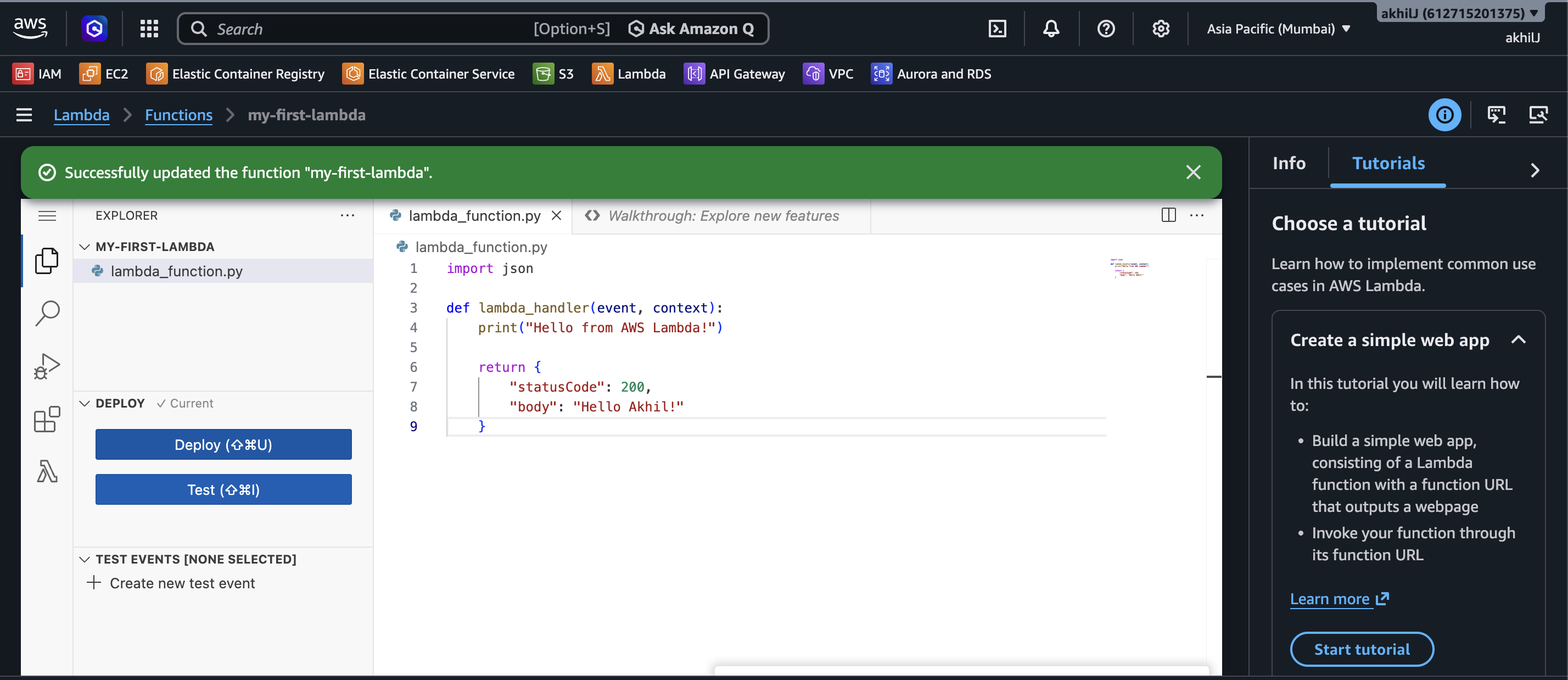 Figure 8 — Code deployed with green confirmation banner.
Step 8: Configuring a Synchronous Test Event
Click Test $\rightarrow$ select Create new test event:
- Invocation type: Synchronous (blocks until response is received).
- Event name:
myTestEvent. - Event sharing settings: Private.
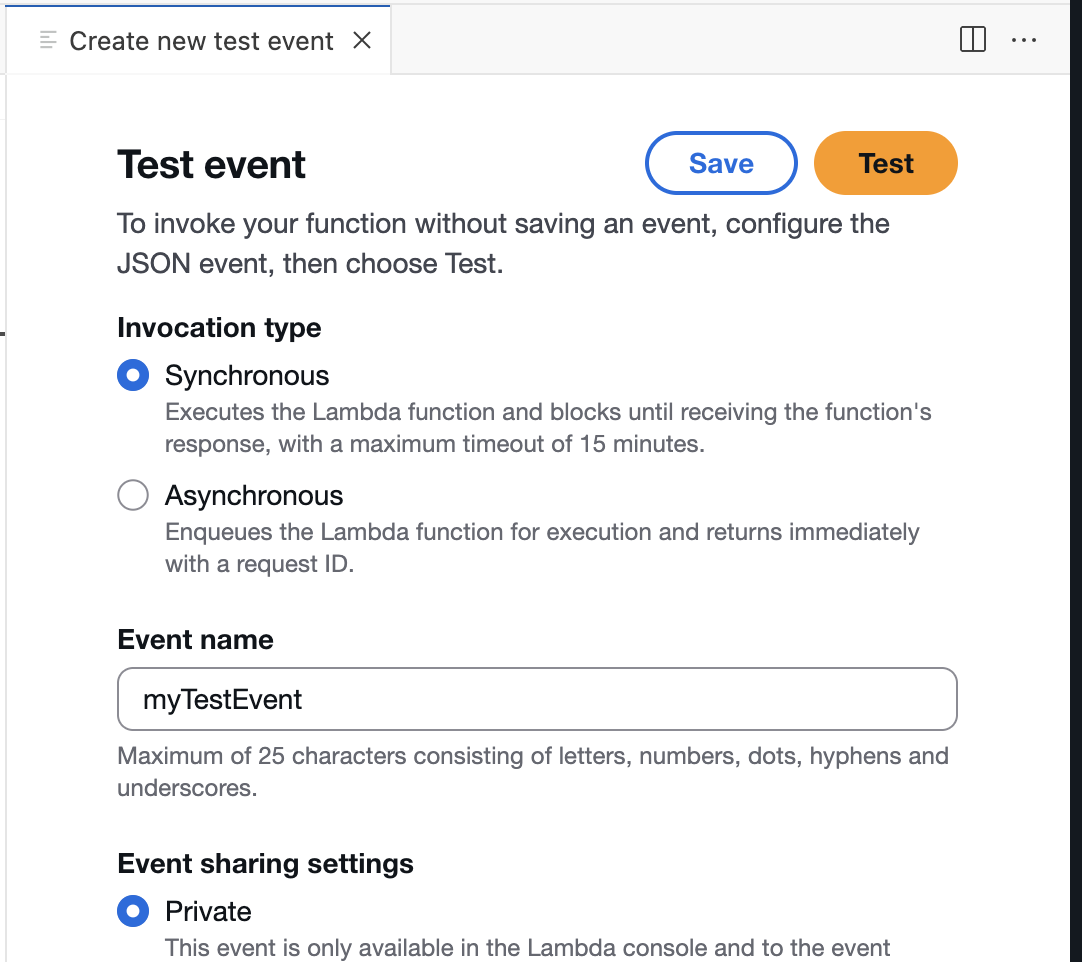 Figure 9 — Configuring synchronous test event
myTestEvent.
Step 9: Running the Test & Inspecting Execution Results
Click Test to execute. The console displays the execution output, status code 200, execution duration, billed duration, and memory utilization logs.
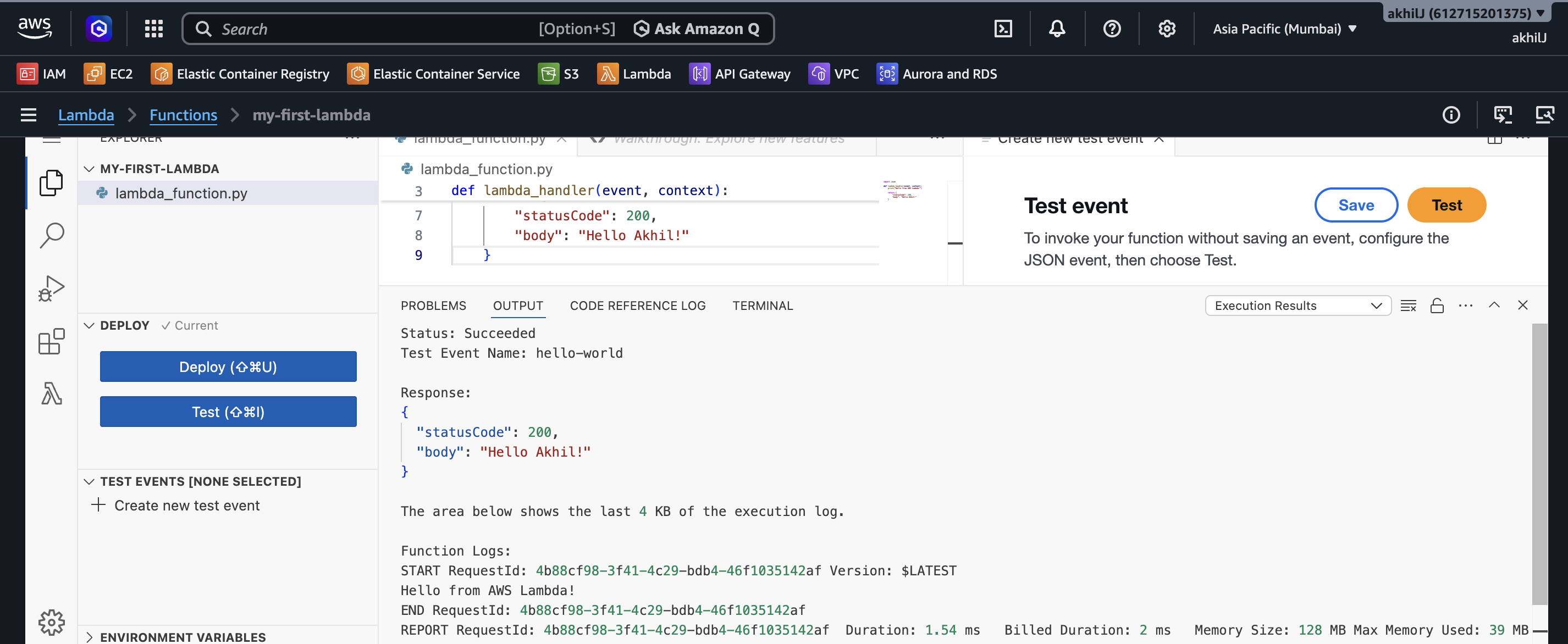 Figure 10 — Test execution results showing output body
"Hello Akhil!".
Part 3: S3 Bucket Setup & Event-Driven Triggers
Step 10: Navigating to Amazon S3
Open the Amazon S3 console to prepare the storage bucket that will trigger your serverless function upon file uploads.
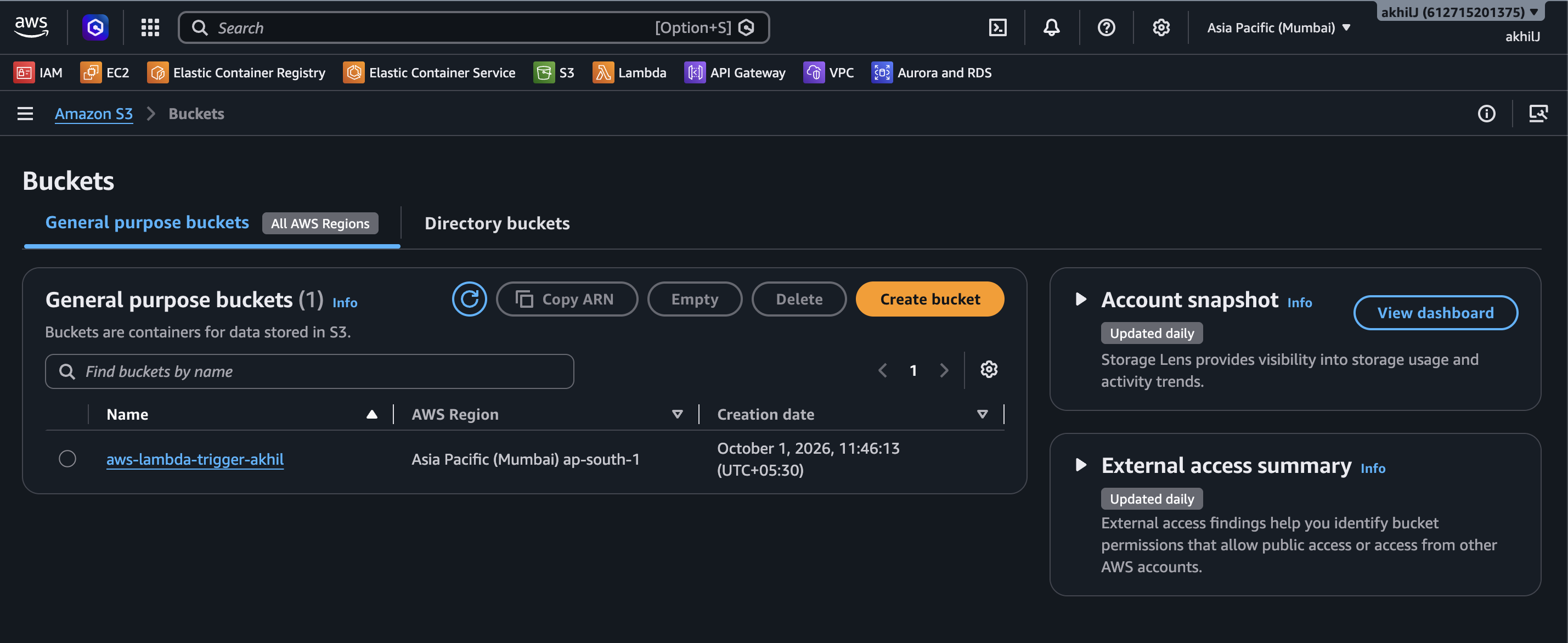 Figure 11 — Amazon S3 Buckets console in
ap-south-1.
Step 11: Updating Lambda to Process S3 Event Payloads
Return to Lambda and update lambda_function.py to capture and format incoming S3 metadata:
import json

def lambda_handler(event, context):
    print("Lambda was triggered!")
    print("Event received:")
    print(json.dumps(event, indent=2))

    return {
        "statusCode": 200,
        "body": "S3 event received successfully"
    }
Deploy the updated function code.
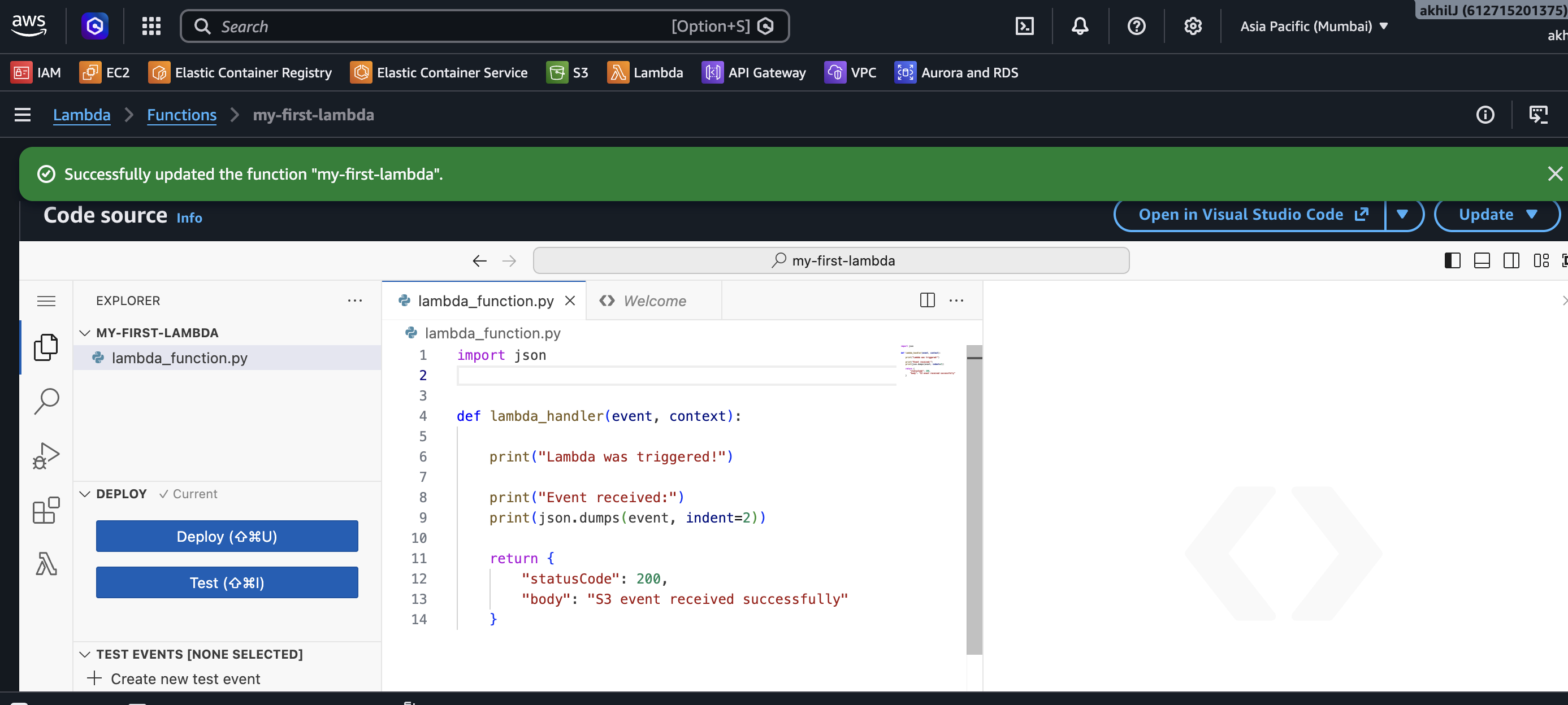 Figure 12 — Updated Lambda handler designed to parse structured S3 event JSON records.
Step 12: Preparing Target S3 Bucket (aws-lambda-trigger-akhil)
In Amazon S3, create or navigate into bucket s3://aws-lambda-trigger-akhil.
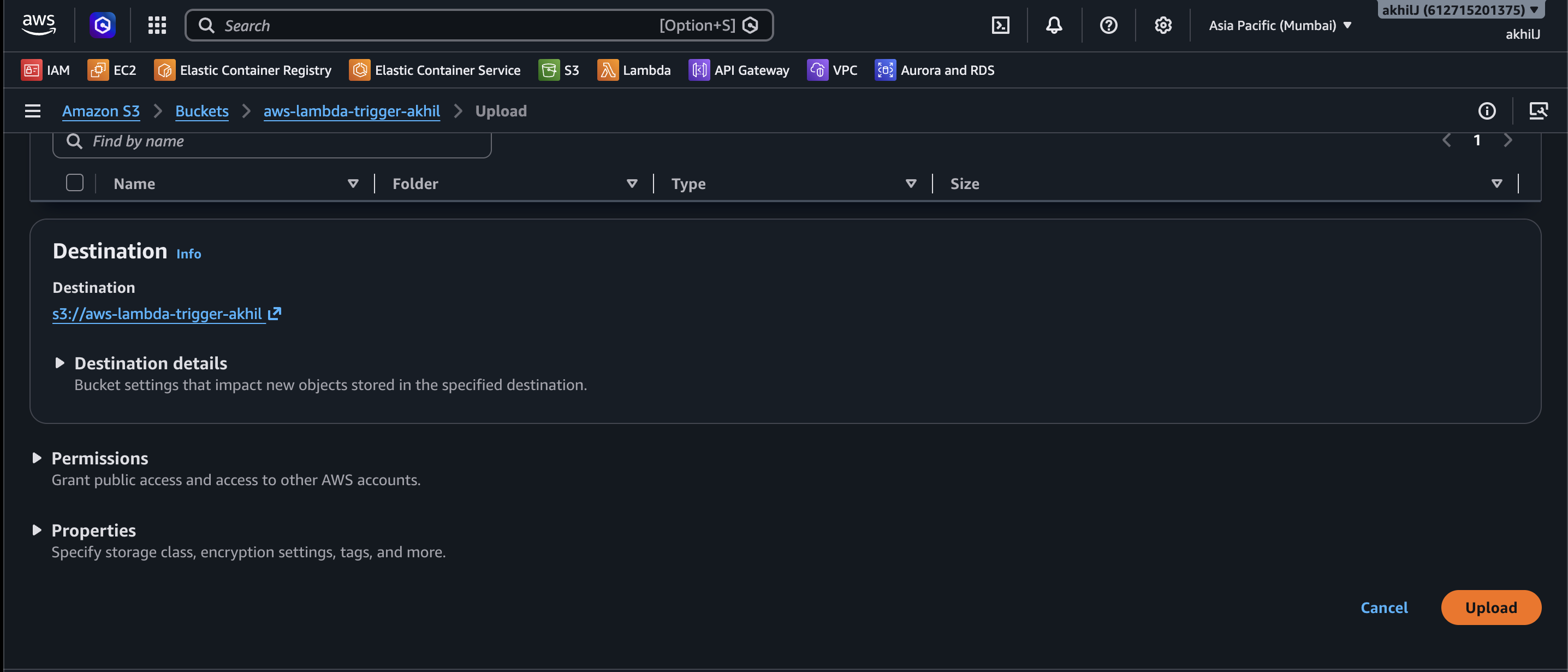 Figure 13 — Target S3 bucket
aws-lambda-trigger-akhil ready for file ingestion.
Step 13: Preparing the File Upload
Click Upload and select a test file (e.g. document, image, or dataset).
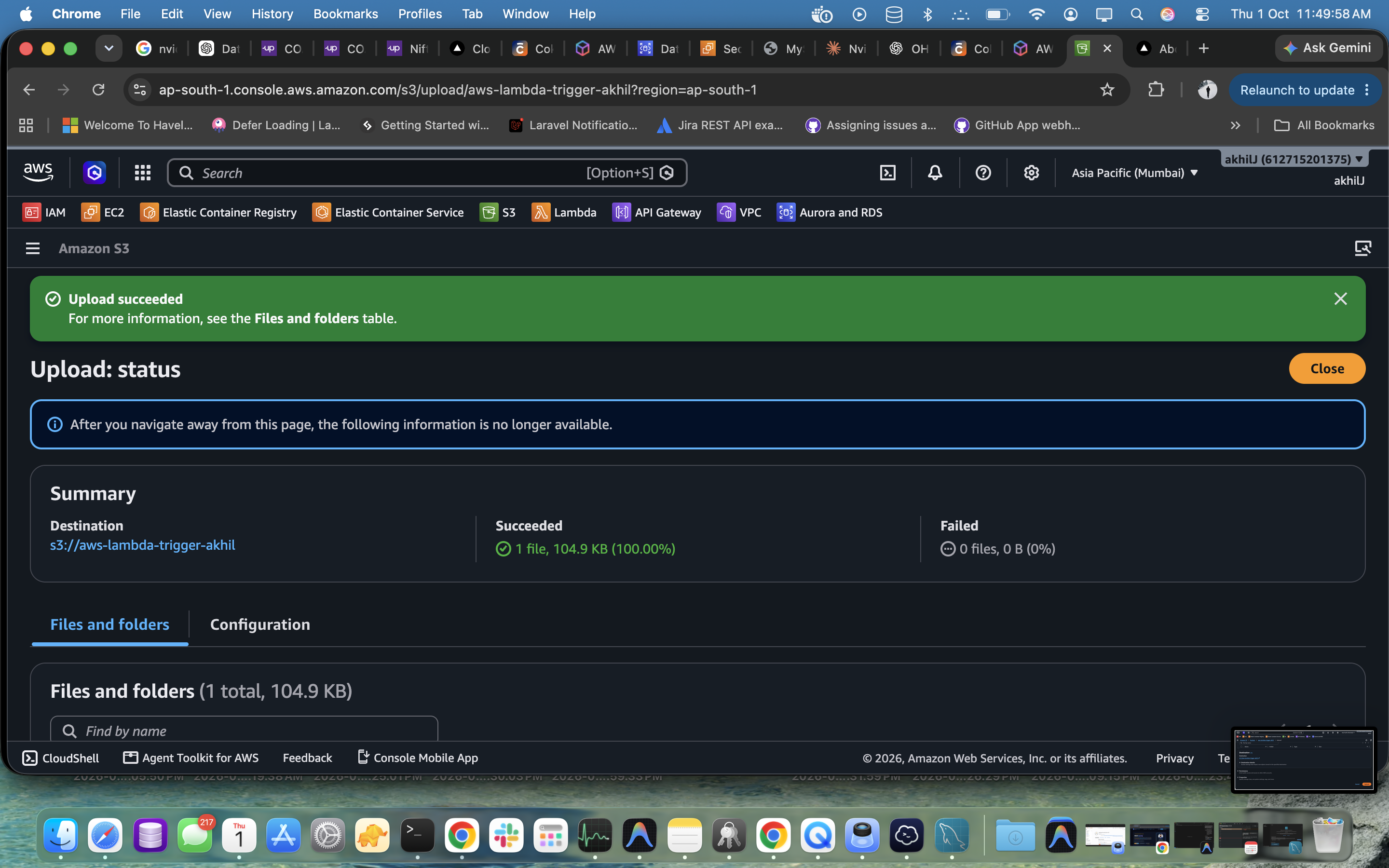 Figure 14 — S3 file upload setup.
Step 14: Completing the File Upload
Click Upload. The progress bar reaches 100% and displays Upload succeeded: 1 file, 104.9 KB.
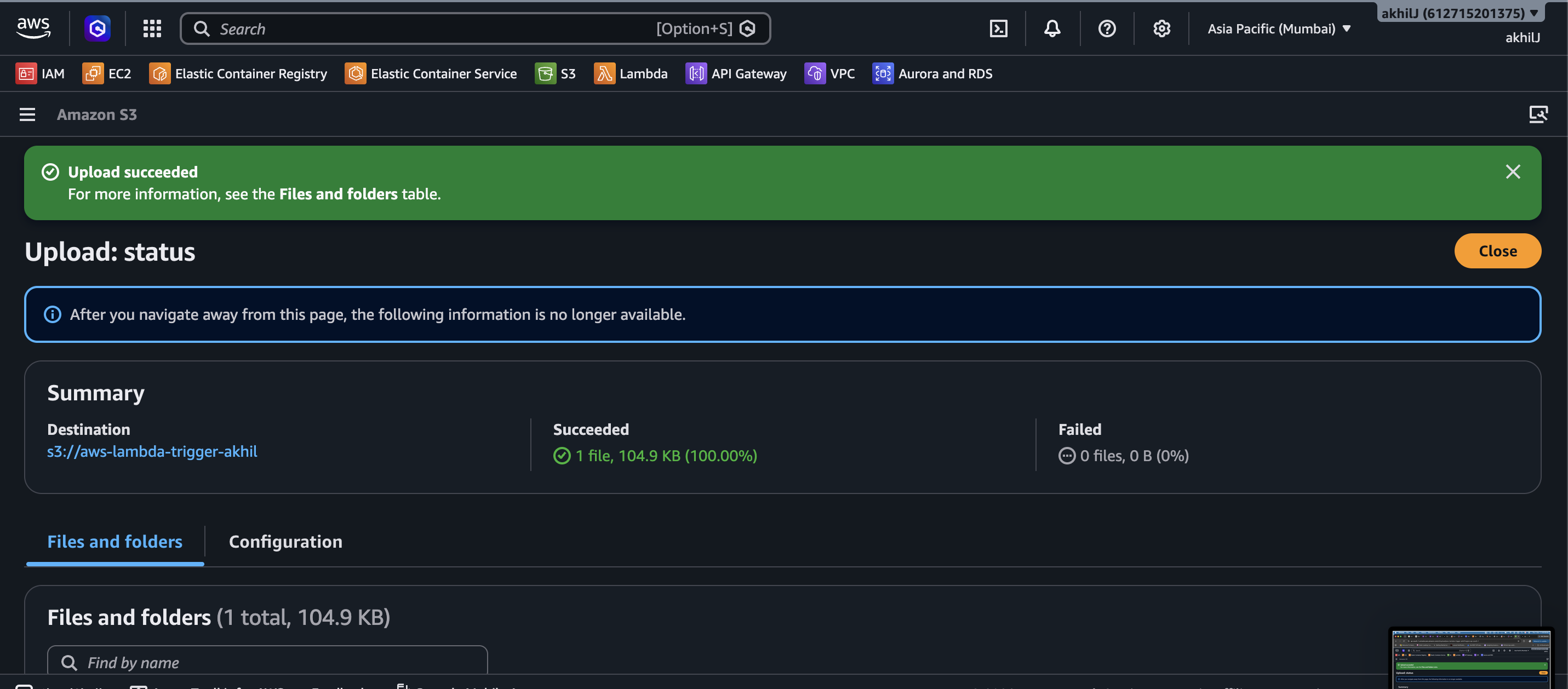 Figure 15 — Successful upload of 104.9 KB file to S3.
Part 4: Wiring the S3 Trigger to Lambda & Live Verification
Step 15: Reviewing Function Architecture Graph
In the Lambda console, inspect the Function overview diagram to add new triggers.
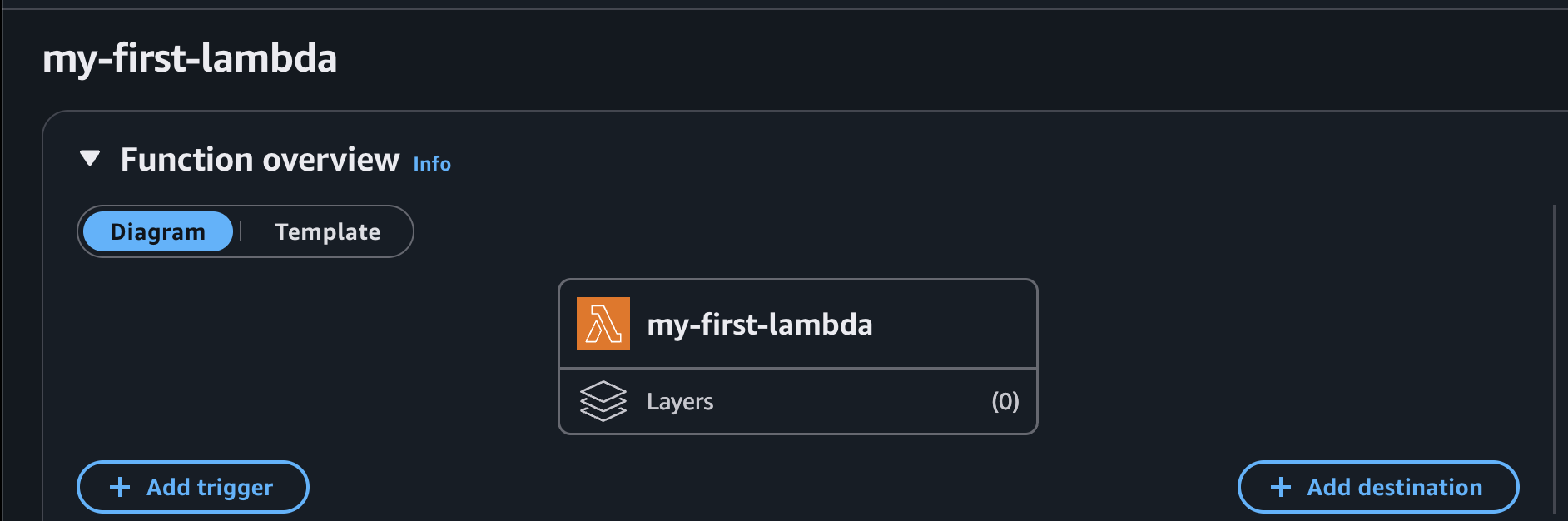 Figure 16 — Function overview diagram before trigger binding.
Step 16: Adding an S3 Event Trigger
Click + Add trigger at the top of the function overview. Select S3 as the trigger source.
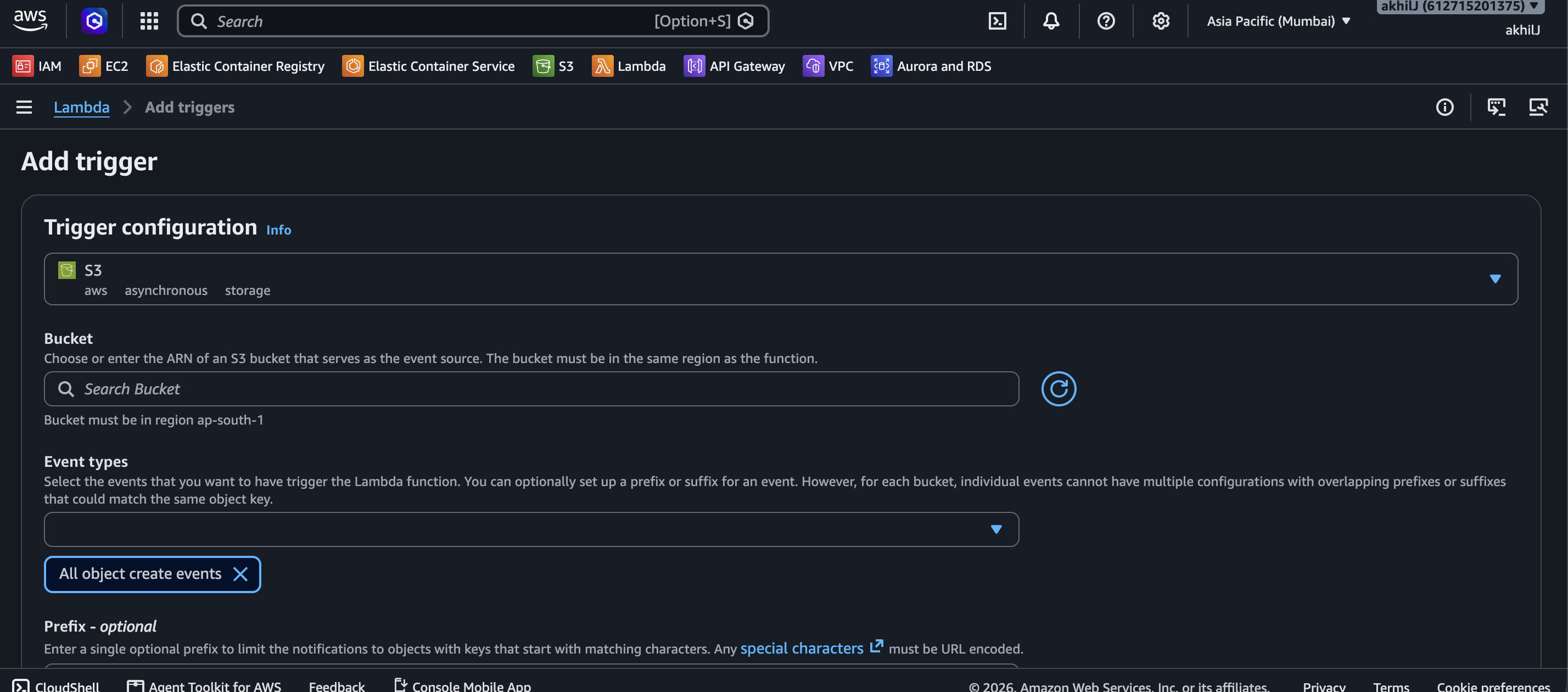 Figure 17 — Adding S3 as an event trigger source in AWS Lambda.
Step 17: Configuring S3 Event Notification Rules
- Bucket:
s3/aws-lambda-trigger-akhil. - Event type:
All object create events(s3:ObjectCreated:*). - Recursive invocation acknowledgement: Check the safety checkbox. Click Add.
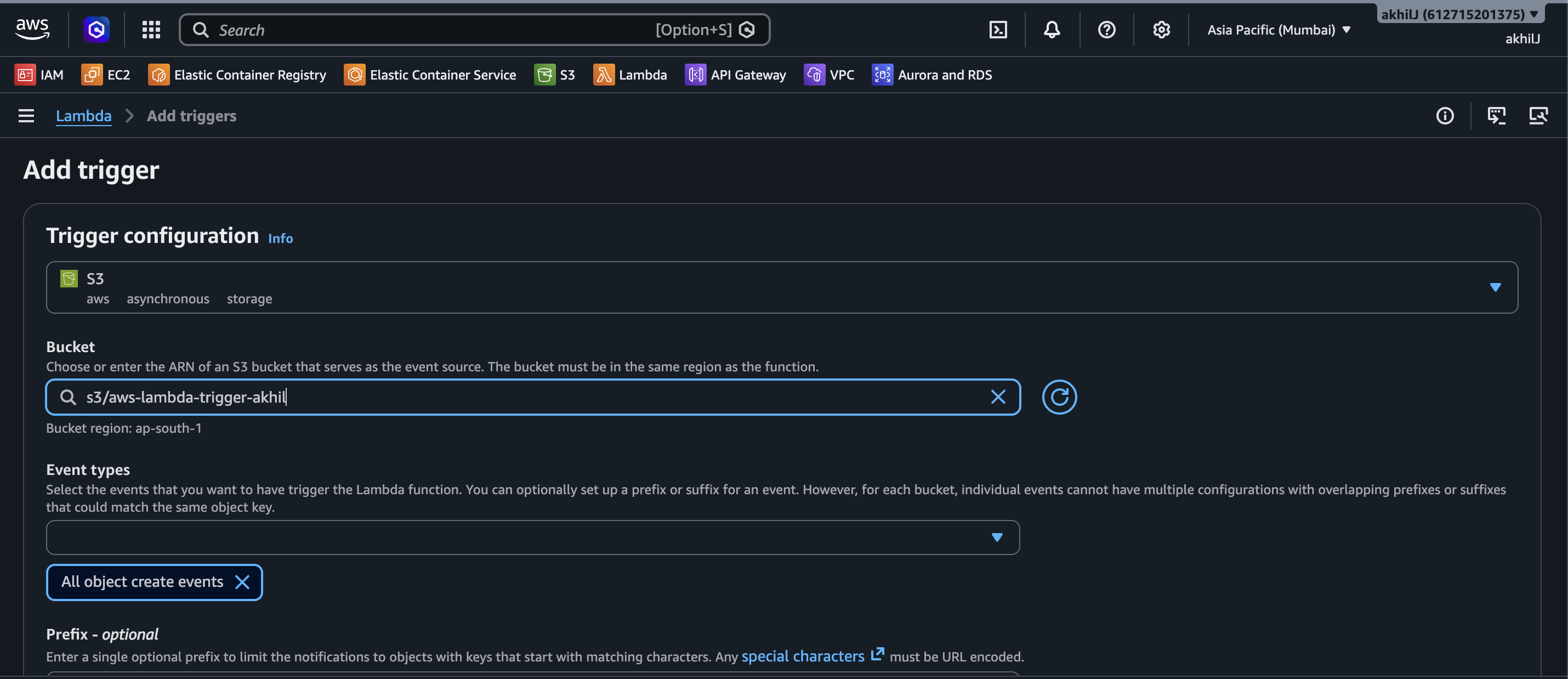 Figure 18 — Binding
s3:ObjectCreated:* events from aws-lambda-trigger-akhil to my-first-lambda.
Step 18: Verifying Connected Architecture Graph
The Function overview now displays the connected S3 trigger badge linked directly into my-first-lambda.
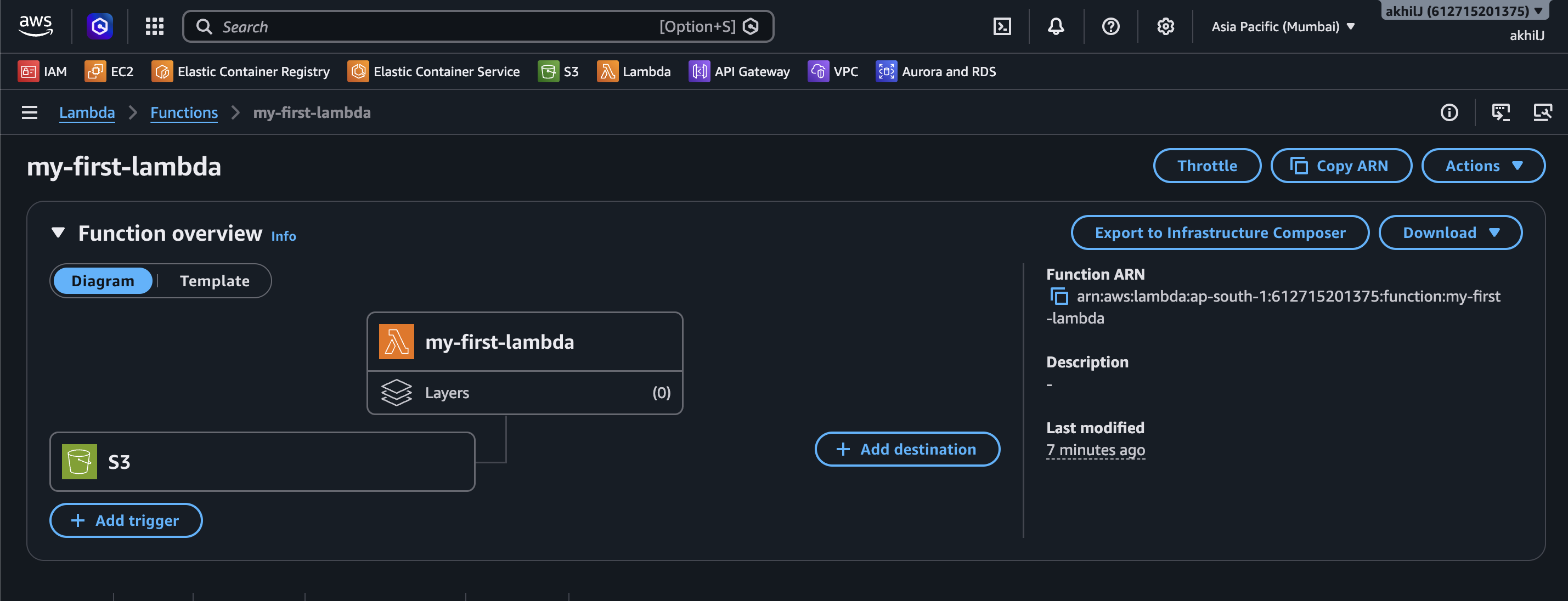 Figure 19 — Architecture graph showing active Amazon S3 event trigger.
Step 19: End-to-End Live Verification in CloudWatch
Upload a new file to s3://aws-lambda-trigger-akhil. The S3 event immediately dispatches to Lambda.
In AWS CloudWatch Logs (/aws/lambda/my-first-lambda), verify the exact parsed record:
{
  "Records": [
    {
      "eventVersion": "2.1",
      "eventSource": "aws:s3",
      "awsRegion": "ap-south-1",
      "eventTime": "2026-10-01T11:49:58.000Z",
      "eventName": "ObjectCreated:Put",
      "s3": {
        "bucket": {
          "name": "aws-lambda-trigger-akhil",
          "arn": "arn:aws:s3:::aws-lambda-trigger-akhil"
        },
        "object": {
          "key": "sample-document.pdf",
          "size": 107417
        }
      }
    }
  ]
}
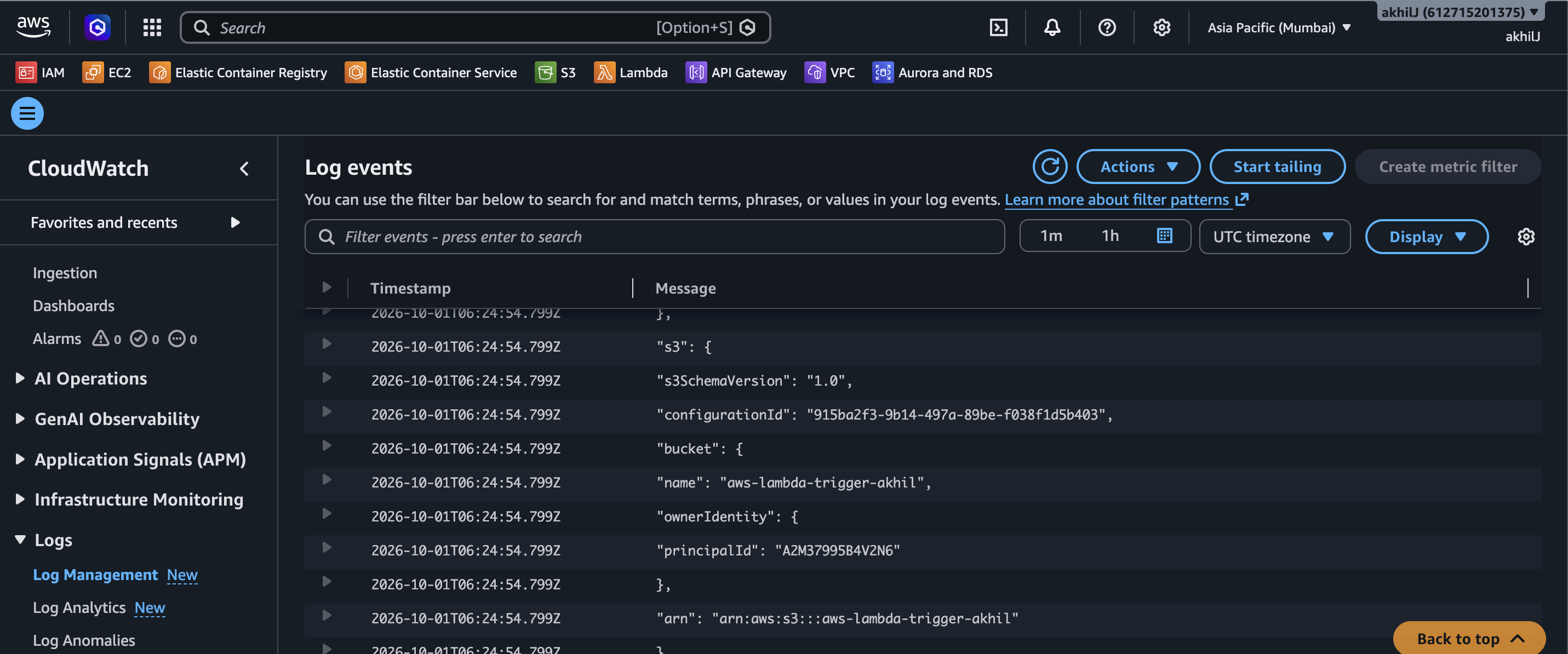 Figure 20 — Final verified live pipeline: sub-35ms execution with zero server management.
Production Best Practices for AWS Lambda
- Strategic Memory Tuning: Allocating more RAM (from 128 MB to 10 GB) linearly scales vCPU compute capacity. For compute-heavy tasks, bumping RAM from 512MB to 1536MB often reduces execution time by 60%, maintaining an identical AWS bill while delivering sub-second user latency.
- Reuse Global Execution Context: Initialize database connection pools (PostgreSQL/MySQL), Redis clients, and AWS SDK clients outside the
lambda_handlerfunction so they remain cached across warm container invocations. - Strict IAM Least Privilege: Never attach full administrator privileges. Grant only the exact
s3:GetObjectactions required on target bucket ARNs and standard CloudWatch log streams. - Dead-Letter Queues (DLQ): For critical asynchronous event processing, always connect an Amazon SQS Dead-Letter Queue to catch failed event records after automatic retries.
Summary
AWS Lambda revolutionizes modern cloud computing by removing server provisioning, eliminating idle infrastructure overhead, and scaling instantly on demand. When combined with Amazon S3 event triggers, it provides a high-throughput, fault-tolerant foundation for enterprise cloud architectures.
Related Tags

Akhil Jayaraj
AWS Cloud & DevOps Engineer
Architecting resilient multi-VPC AWS networks, Kubernetes infrastructure, and high-scale SaaS backends.
View About Me